
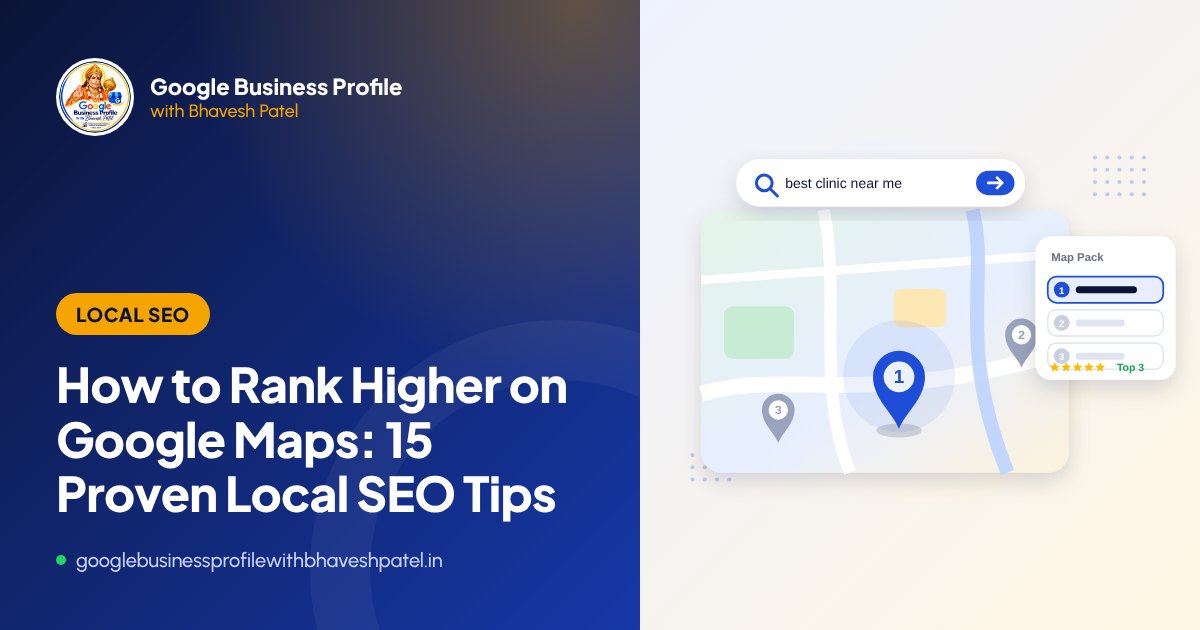
When someone searches for “dentist near me”, “CA in Satellite” or “AC repair Ahmedabad”, Google usually shows a map with three businesses, often called the Map Pack or Local Pack. Those three businesses receive a large share of the calls and direction requests. So how do you become one of them?
How Google ranks local results
Google says local results are based mainly on three factors:
- Relevance: how well your profile matches the search
- Distance: how far your business is from the searcher or the searched location
- Prominence: how well known your business is, based on reviews, links, articles and mentions across the web
You cannot change distance, but every tip below improves relevance or prominence, and all of them follow Google’s guidelines.
Profile tips
1. Choose the most accurate primary category
Your primary category is one of the strongest relevance signals. Choose the most specific category that truly describes your business, such as “Pediatric Dentist” rather than just “Dentist” if that is what you are, and check which categories the top-ranking competitors use.
2. Add relevant secondary categories
Add secondary categories only for services you actually provide. More is not better. Irrelevant categories can confuse Google and customers.
3. Keep your business name real
Use your real-world name exactly as on your signboard. Adding keywords may seem to help briefly, but it breaks the guidelines and is a leading cause of suspension.
4. Complete every section
Fill in services, products, hours, attributes, opening date, description and booking links. Complete profiles help customers decide and give Google more information to match you with searches.
5. List your services with descriptions
Add each service with a short, natural description. This helps you appear for more specific searches, such as “root canal treatment” or “GST registration”.
6. Upload real photos regularly
Photos of your storefront, interior, team and work build trust and show that your business is active. Avoid stock photos.
7. Post updates and offers
Google posts let you share offers, events and news. Regular posts keep the profile fresh and give customers a reason to choose you.
Review tips
8. Ask every happy customer for a review
The number, quality and freshness of genuine reviews contribute to prominence and to the trust customers place in you. Create a short review link and share it on WhatsApp, receipts and visiting cards.
9. Reply to every review
Thank customers for positive reviews and respond calmly and professionally to negative ones. Your replies are public and show future customers how you treat people.
10. Never buy or exchange reviews
Fake reviews, paid reviews and review-exchange groups break Google’s policies. They can be removed, and they put the whole profile at risk.
Website and citation tips
11. Keep your NAP consistent everywhere
Your Name, Address and Phone number should be identical on your website, Google profile and directories such as Justdial, IndiaMART, Sulekha, Facebook and Instagram. Inconsistent details reduce trust.
12. Link to a strong, relevant web page
Link your profile to a fast, mobile-friendly page that clearly describes your services and location. Multi-location businesses should link each profile to its own location page.
13. Add LocalBusiness schema markup
Structured data on your website helps search engines understand your business name, address, phone number, hours and services. It is a small technical step with long-term benefits.
14. Earn local mentions and links
Mentions in local news, associations, chambers of commerce, event sponsorships and supplier or partner websites all contribute to prominence.
Conversion tip
15. Make it easy to contact you
Ranking is only half the job. Make sure the Call button works, your hours are accurate and your profile clearly answers “why choose us?”. If your Call button is missing, see our Call button fix guide.
How long does it take?
Fixing categories and completing your profile can make a difference within weeks. Reviews, citations and prominence build up over months. Local SEO is a continuous process, not a one-time task.
A word of caution: anyone who guarantees a top 3 position on Google Maps is overpromising. Distance and Google’s systems cannot be controlled. Focus on what you can control, and do it consistently.
Want expert help? Our local SEO and Google Maps ranking service starts with a full audit of your profile and competitors.
Frequently asked questions
Please note: Google updates Business Profile features and policies regularly. This guide reflects our experience as of 10 October 2026. Always check the official Google Business Profile Help Centre for the latest rules.
About the author: Bhavesh Patel
Google Business Profile and Google Maps expert based in Ahmedabad, helping local businesses get verified, reinstated and found since 2007. More about Bhavesh